Making your first website
The Dashboard Controller.
Programming is no longer about sitting down and writing something.
Programming is about building something more on many other people’s work. Think about what we have done so far.
Install Linux
Install PHP
Install NetBeans
Install Symfony
Now we are moving into the realm of the Controller and View.
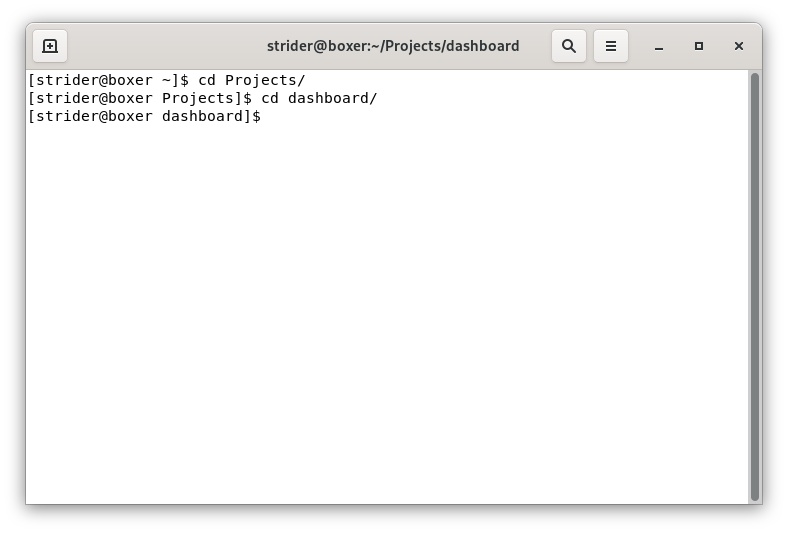
You need to go to your terminal.
Click on Applications in the top left of your screen.
Click on Favourites -> Terminal.
My Terminal is White with Black writing; yours might be Black with White writing.
bin/console make:controller DashboardController |
 created: src/Controller/DashboardController.php
 created: templates/dashboard/index.html.twig

  Success!

 Next: Open your new controller class and add some pages!
|
In your browser, now go to http://127.0.0.1:8000/dashboard
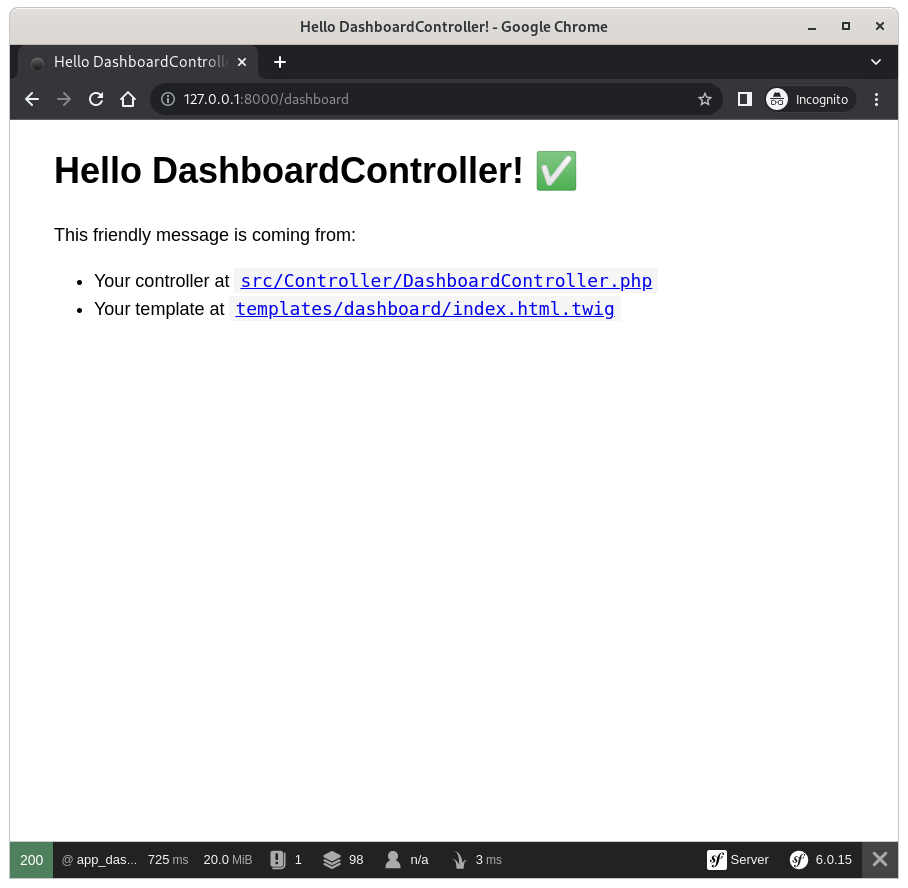
You should see your new DashboardController. (Make sure you have symfony server:start running)
DashboardController.php
We will deal with three primary programming languages and several configuration languages. A configuration language is not really about programming but rather about providing information to the programming language in an easy way for the language to parse.
Our programming languages are.
PHP: which is what the controller is written in.
Twig: which the display/view is written in.
JavaScript: which makes it all look fancy but which we are not using yet.
In NetBeans, goto FIles -> src -> Controller and open DashboardController.php.
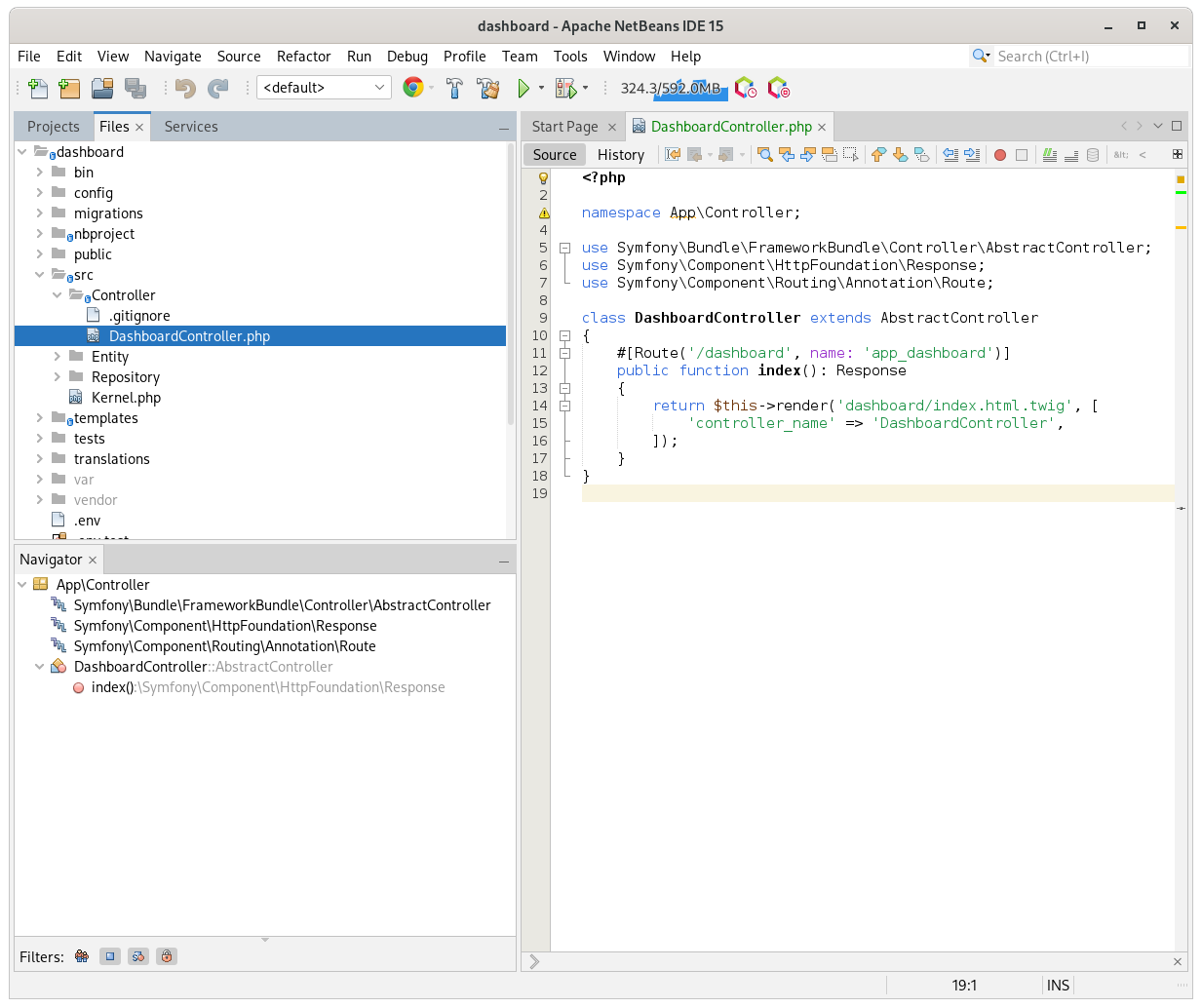
The right-hand screen is pure PHP.
The Parts.
- namespace: is a name holder for the classes that follow; this way, you can have two classes with the same name, but they belong to different namespaces.
- use: these are snippets of code that this namespace will use; you can even follow the file list back to the actual code.
- class: now we are getting down to the actual code.
- public function: a class can have different sorts of functions, a public function can be called by other functions, even functions in other classes.
Extra reading: https://symfony.com/doc/6.0/index.html
https://symfony.com/doc/6.0/controller.html
If interested, you could create a new Symfony project and play with these pages.
index.html.twig
Twig is a modern template engine for PHP
Fast: Twig compiles templates down to plain optimized PHP code. The overhead compared to regular PHP code was reduced to the very minimum.
Secure: Twig has a sandbox mode to evaluate untrusted template code. This allows Twig to be used as a template language for applications where users may modify the template design.
Flexible: Twig is powered by a flexible lexer and parser. This allows the developer to define its own custom tags and filters, and create its own DSL.
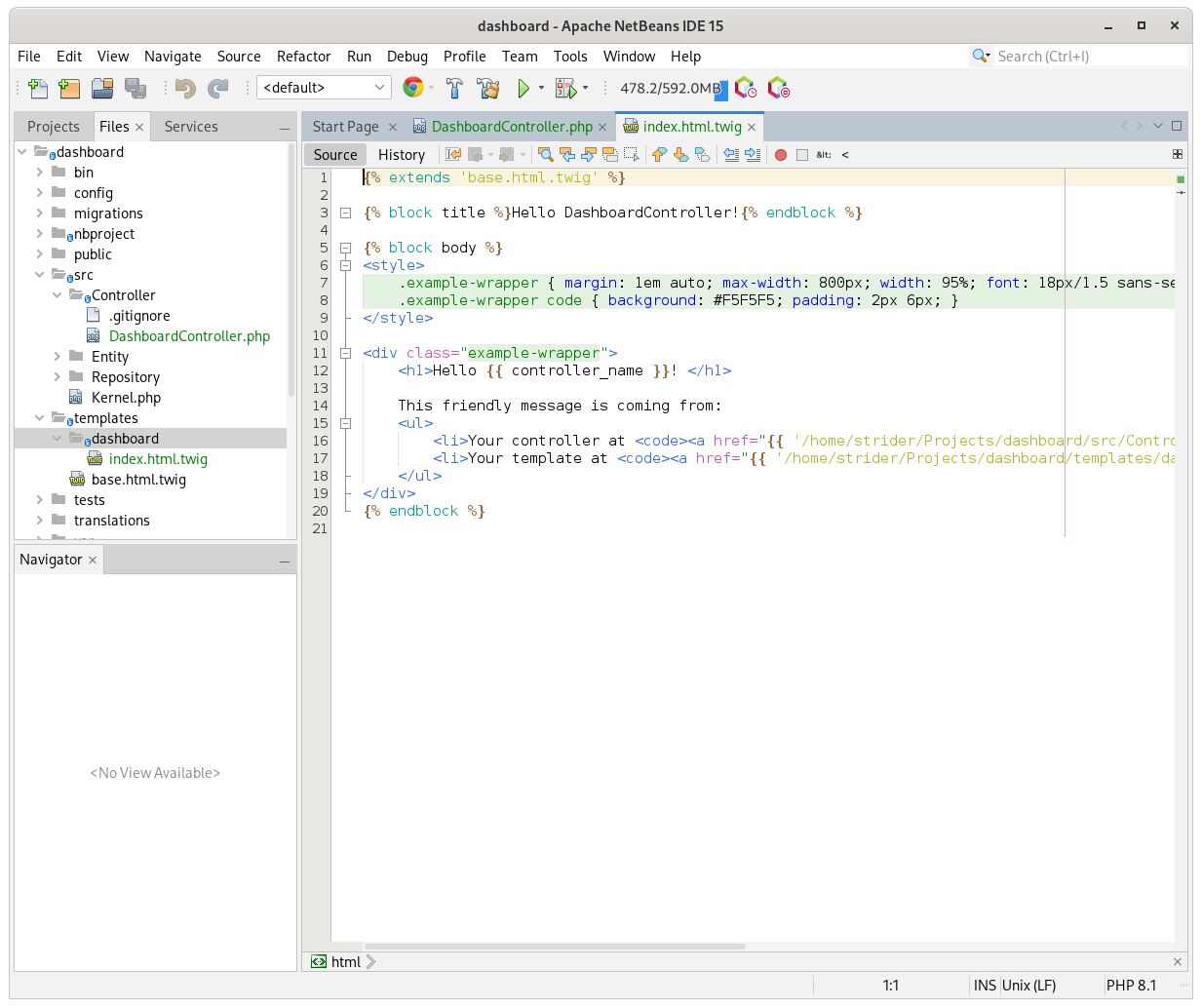
{% extends ‘base.html.twig’ %}
This is how twig references a file that is processed first.
{% block title %}Hello DashboardController!{% endblock %}
This is how twig puts a comment in the tab title.
{% block body %}
This is where the code is for showing the page.
<style>
HTML code for setting up the styles for this page; this is normally done in a CSS file; we will be getting to these later.
<div class=”example-wrapper”>
We now get to display the page.
Time to play.
Make the following changes to DashboardController.php
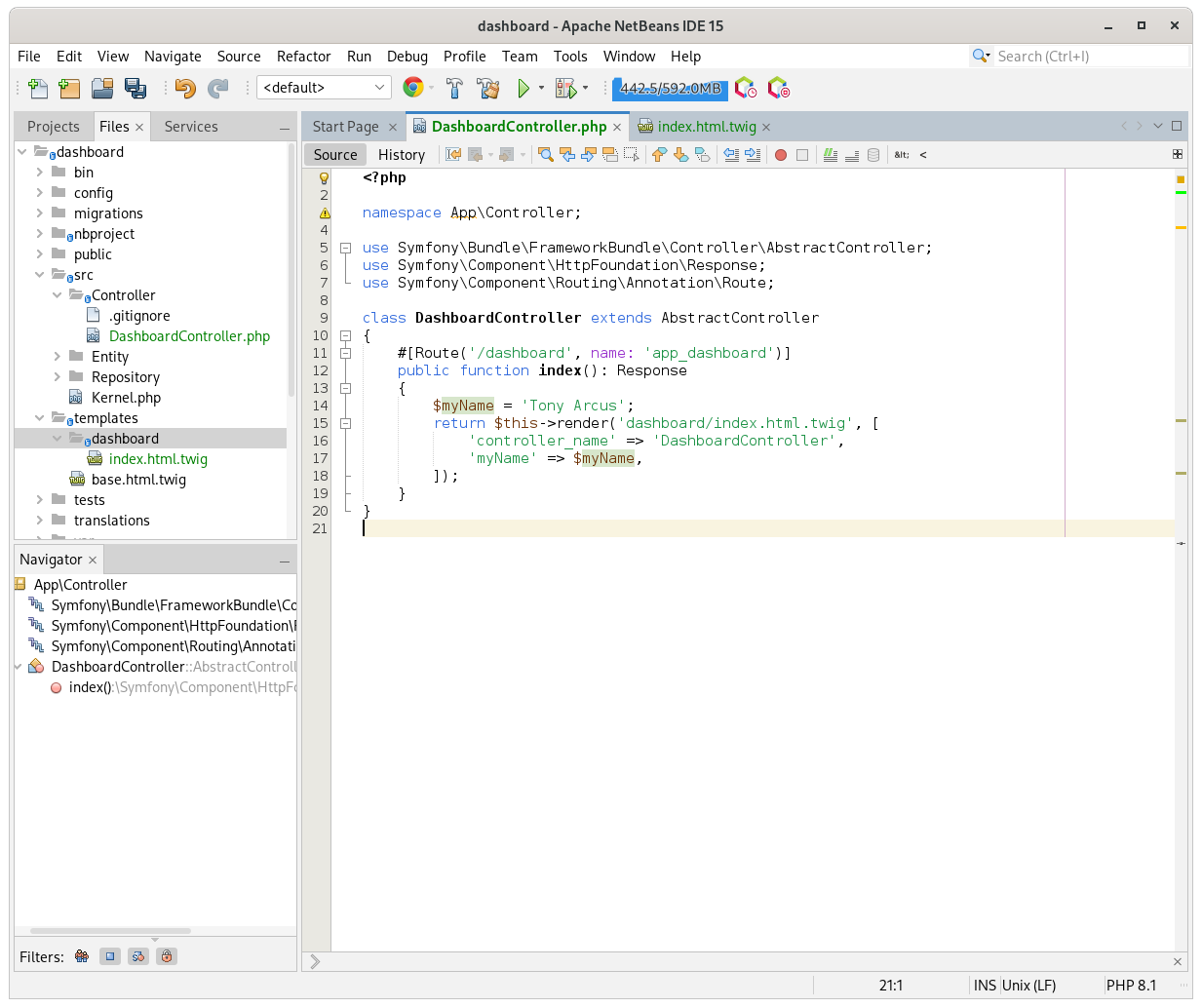
The two lines you added,
$myName = ‘Tony Arcus’;
&
‘myName’ => $myName,
The first line creates the variable called myName and fills it with my name.
The second line parses this variable to be seen in twig.
Make the following changes to index.html.twig
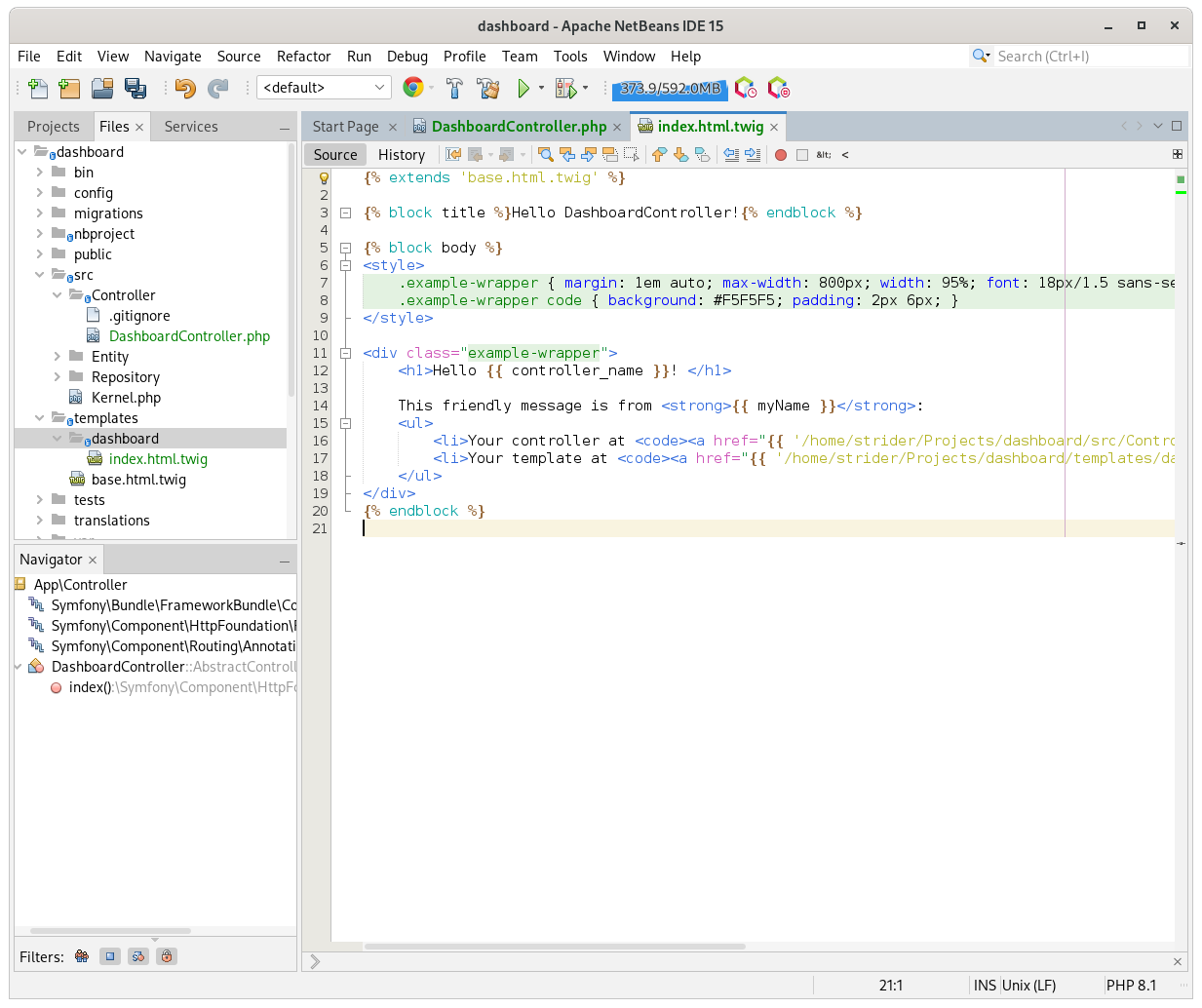
The variable myName is presented in twig as {{ myName }}
This friendly message is from <strong>{{ myName }}</strong>:
Save all files Ctrl-Shift-S, and refresh the browser.
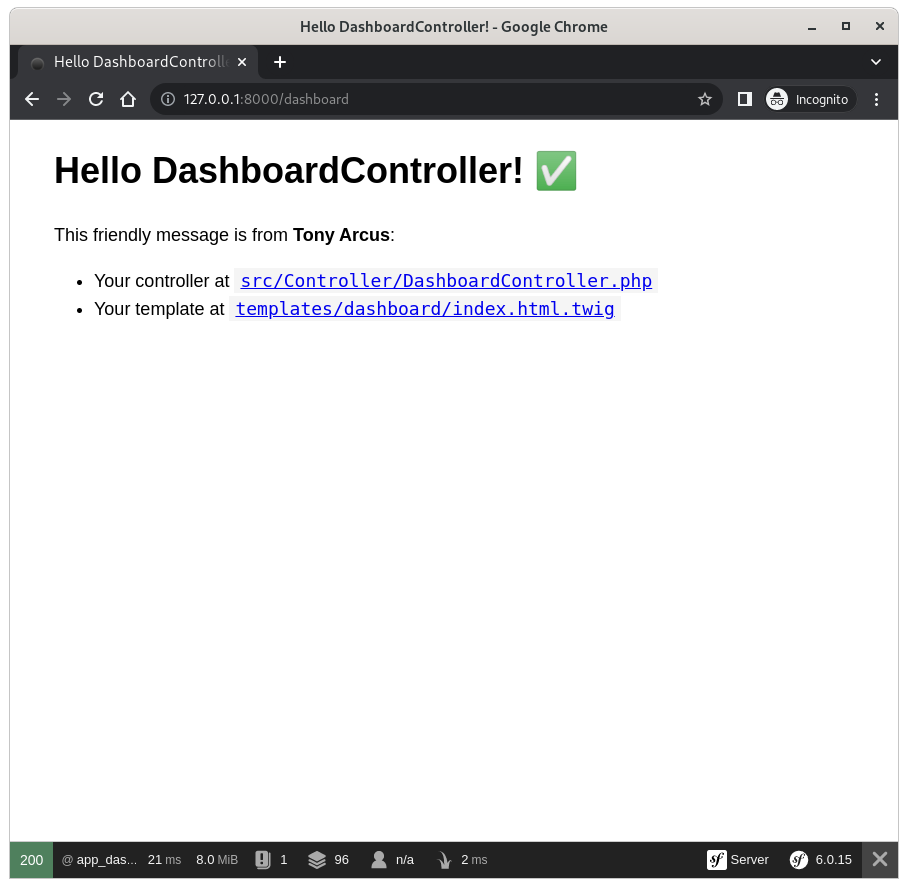
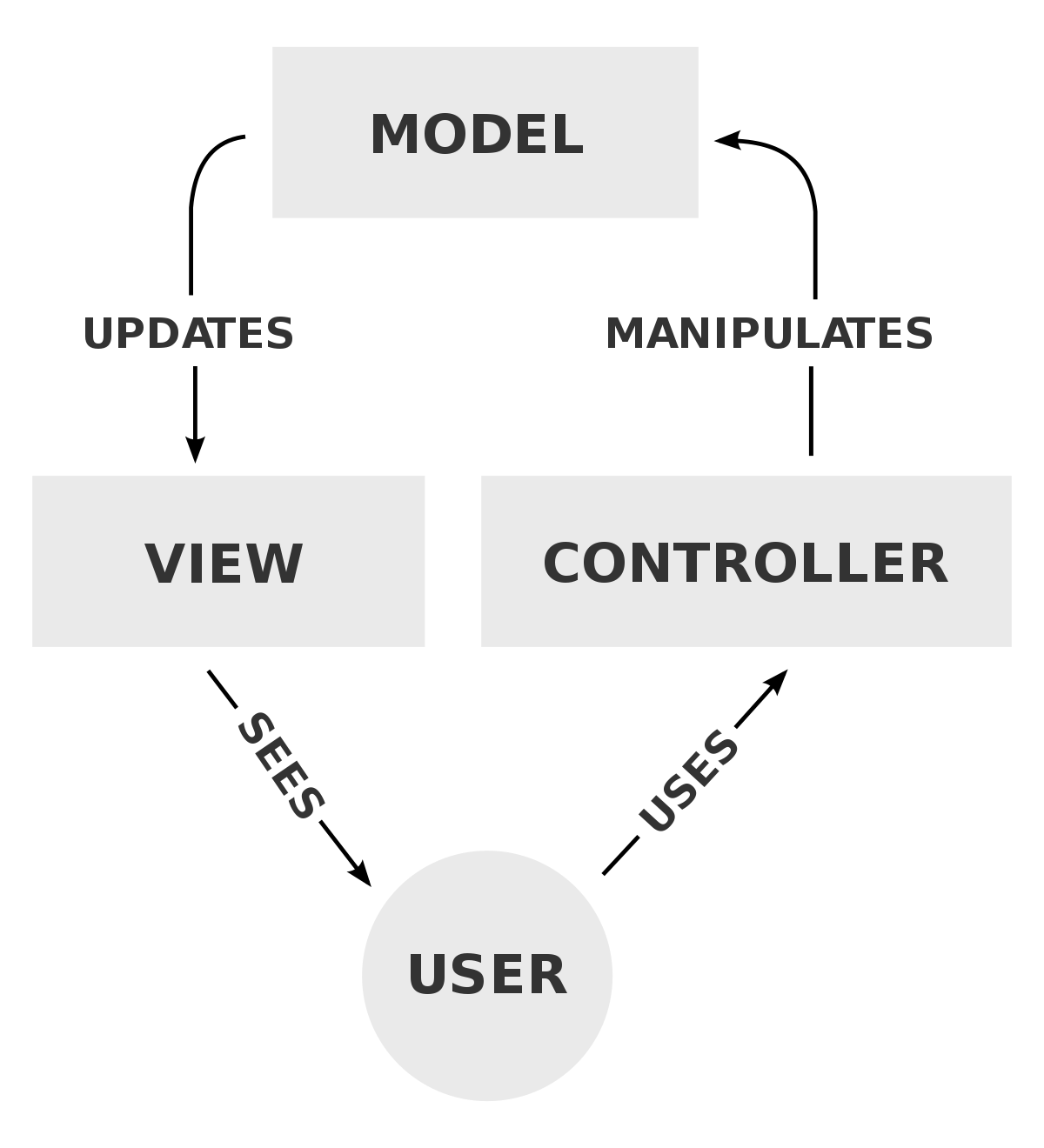
MVC
Across the Dashboard Controller, you get to see how MVC operates.