
Now that we have the Pages, we want a Menu to hold these pages.
I will have most likely already started your Main Menu. However, if you have created Pages in the previous lesson, you will want to put them into your Menu now.
On the Dashboard, go to Appearance -> Menus. We currently have no menus.
Fill out the menu like this: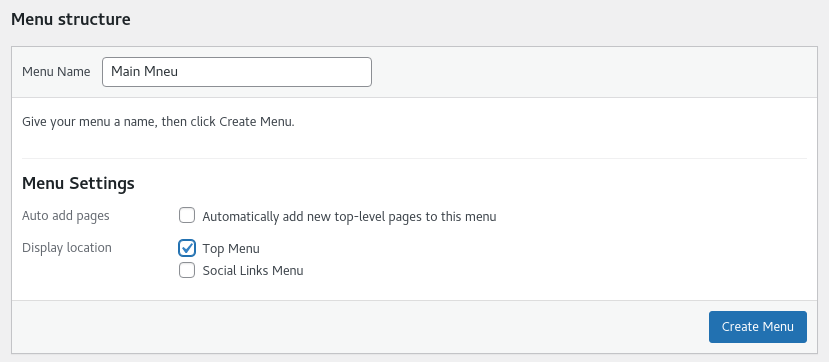
But of course, without my spelling mistake.
Click on the check box to make this menu the Top Menu.
And click on Create Menu.
Adding Items
Now on the left, you can access the Pages you previously created.
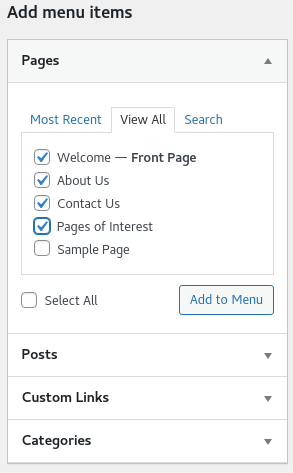
Put a tick on the Pages you want on your Menu and click Add to Menu.
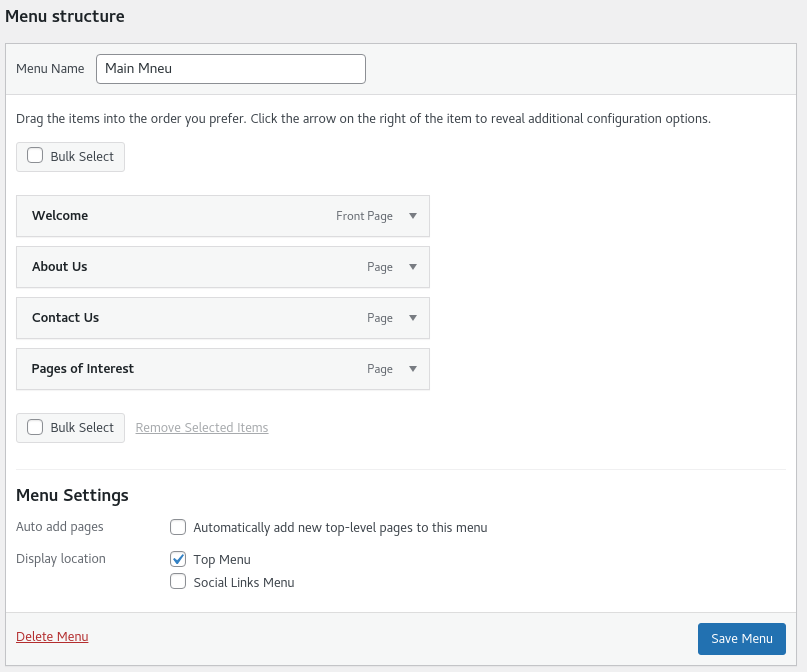
You can move these items into whatever order you want or even stager them if you want a menu inside a menu.
Click and drag items to where you want them.
And click on Save Menu.